Layers that stay flexible
Add, duplicate, group, reorder, hide, lock, clip, mask, blend, and merge. PSD is the editable project format, not an afterthought.
- 16 blend modes
- Groups + masks
- Opacity + clipping
Layered editing · local processing
Open a canvas and keep your momentum: layers, masks, selections, painting, typography, adjustments, filters, transforms, and PSD projects in one focused desktop workspace.
The web app needs a connection for its initial assets. After they load, editing and export make no network requests.
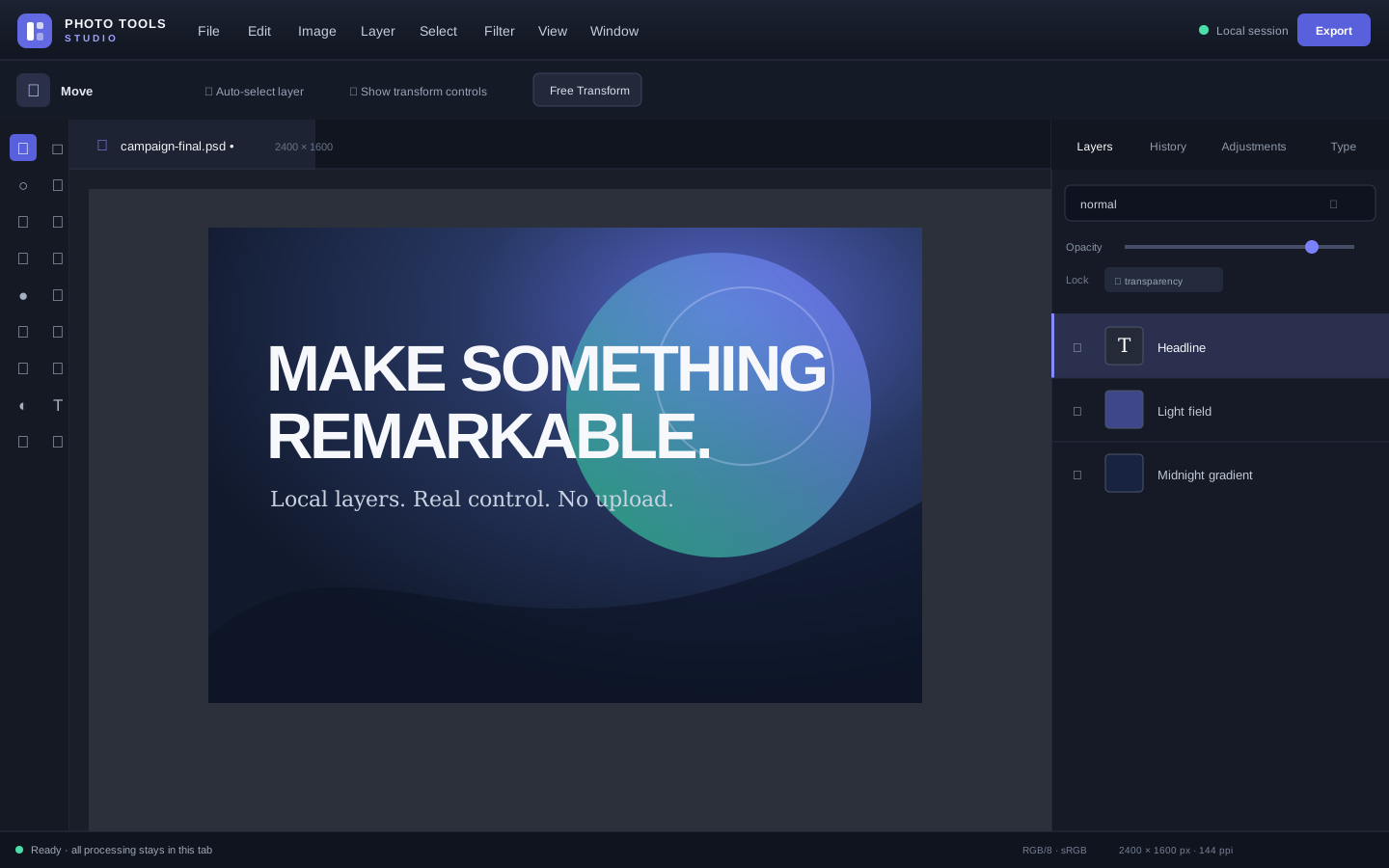
One document model
One layer stack, one active selection, one color pair, and one history. No disconnected mini-tools or export detours.
Add, duplicate, group, reorder, hide, lock, clip, mask, blend, and merge. PSD is the editable project format, not an afterthought.
Rectangle, ellipse, lasso, polygon lasso, and magic wand, with boolean operations and edge refinement.
Brush, pencil, eraser, clone, heal, bucket, and linear or radial gradients honor selections and transparency locks.
Brightness/Contrast, Levels, Curves, Hue/Saturation, Color Balance, Exposure, blur, sharpen, noise, and stylize filters.
Editable multiline text, six bundled offline font families, alignment, leading, tracking, color, and local font loading.
Built for continuity
Start an RGB/8 document, open browser-decodable raster images, or reopen a bounded PSD project.
Pan, zoom, paint, select, transform, type, adjust, and filter through the same visible command system.
Keep layers in PSD, or deliver clean PNG, JPEG, and WebP files with metadata and GPS removed.
Local by construction
Images are read from your device and processed inside the editor tab. There are no accounts, uploads, analytics, ads, model downloads, or remote executable code.
The hosted page itself must load from the web on a cold start. Once its static assets are available, the shipped editor contains no outbound-capable network primitive.
default-src 'none'; script-src 'self'; style-src 'self'; connect-src 'none'; img-src 'self' blob: data:; media-src 'self' blob:; font-src 'self' data:; worker-src 'self' blob:; object-src 'none'; base-uri 'none'; form-action 'none'; frame-src 'none'
Published boundaries
The editor rejects unsafe work before allocation where possible, with typed, recoverable errors instead of tab crashes.
Ready when the idea is